
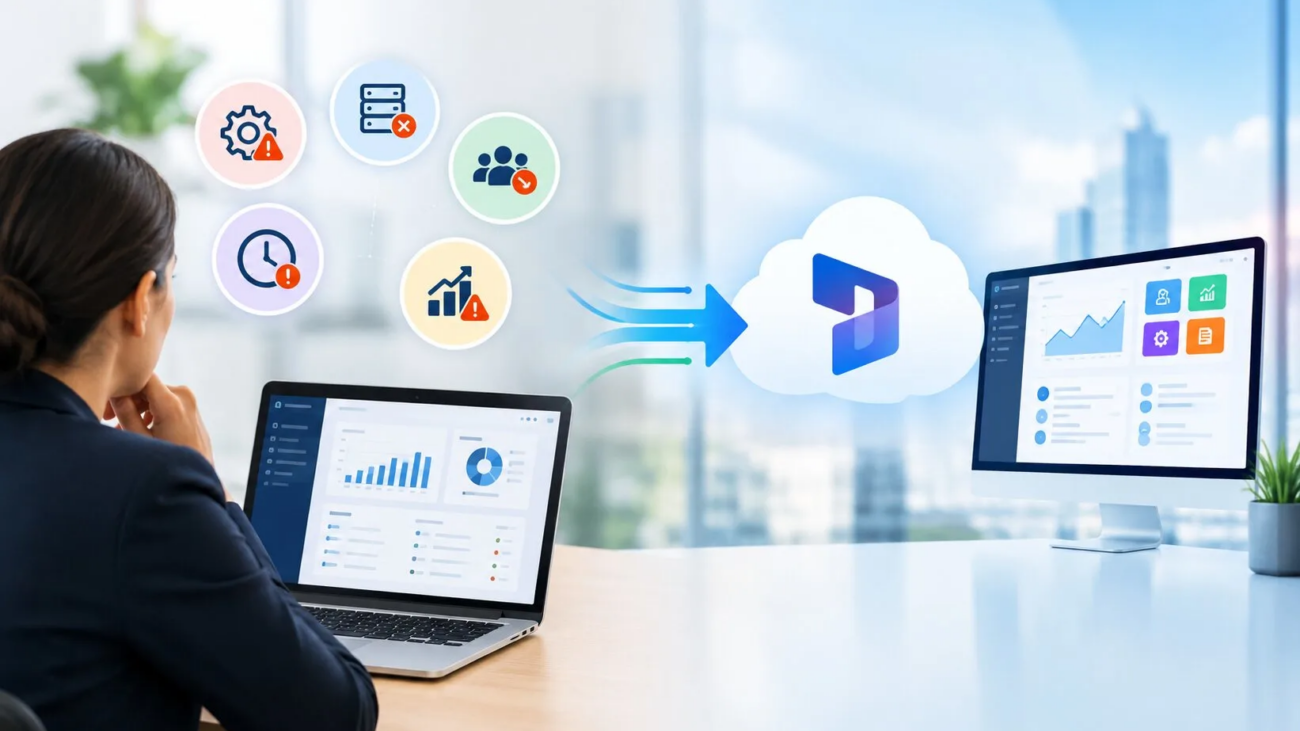
The right prospects matter if you sell IT consulting, cloud migrations, or software implementation services and support, that’s more true than ever. Businesses today are awash in aging legacy applications, aging on-premises servers, slow database performance, and hours of wasted time trying to get disconnected applications to work if they want a way forward.
These businesses want to migrate to a modern cloud solution such as Microsoft Dynamics 365, and they want to do it the right way, without having to change the entire organization and disrupt the day-to-day operation of their business. But they don’t want to figure out which companies have the cash, the executives, and the need; they want to identify specific digital and business “warning signs” that a company is struggling to make its legacy system work, so they can contact them proactively with the perfect solution.
For the past twenty years, medium and large enterprises have had use of older, server-based enterprise database management systems such as legacy versions of Microsoft Dynamics AX or Navision, localized SAP installations, or custom-built enterprise databases.
These companies can’t justify hosting new servers, security risks are on the rise, and outdated software can’t provide real-time information sharing, AI tools, or hybrid communications to branch offices, so we’re experiencing a tremendous enterprise migration in which companies are switching from stiff legacy databases to Microsoft Dynamics 365.
Transitioning to a new cloud platform requires data mappings, custom workflows, training, and the migration of user data, which presents an opportunity for IT solution providers and system integrators who utilize enterprise technographic data sets to identify accounts in the right stage of the data migration process.
Of course, before you sell migration services you first have to understand the goals you are helping companies to realize.
What Is Dynamics 365 Migration?
Migrating to Dynamics 365 is the procedure of transferring data relating to the firm, such as financial information, consumer information, and custom workflows, from legacy systems such as an on-premise ERP, a legacy CRM, or previous spreadsheets to the cloud-based Microsoft Dynamics 365 environment.
The Role of Dataverse in Migration
Microsoft’s architecture separates Finance and Operations data models from Customer Engagement apps that natively use Dataverse. Customer Engagement apps, such as Sales and Customer Service rely on Dataverse as a data platform. In contrast enterprise operations modules, like Dynamics 365 Finance and Supply Chain Management have their different data architectures. These different structures need connectors or configuration through the Power Platform.
Why Migration Signals Matter for B2B Prospecting
- End-of-Support Deadlines: Software companies eventually stop providing support for versions of their products. For example extended support for Microsoft Dynamics AX 2012 ended in April 2022. Support for AX 2012 R3 ended in January 2023. Companies that are still using these versions need to look at the risks they face and consider ways to update their systems.
- Cloud Secure Access: Newer platforms use identity controls like Microsoft Entra ID and strict security policies that allow people who are authorized to access cloud applications from any device that works with the system and it removes the need for old and complicated virtual private networks.
- Application Integration Architecture: Even though some built-in connectors make it easier to use customer engagement apps connecting parts of a company’s financial and operational systems requires careful setup using standard connectors or the Power Platform.
- Built-In Artificial Intelligence: New cloud platforms include their artificial intelligence tools, like Microsoft Copilot but older systems do not have this built-in and need complicated workarounds using application programming interfaces to use outside tools.
The Role of Dataverse in Migration
Microsoft’s architecture separates Finance and Operations data models from Customer Engagement apps that natively use Dataverse. Customer Engagement apps, such as Sales and Customer Service rely on Dataverse as a data platform. In contrast enterprise operations modules, like Dynamics 365 Finance and Supply Chain Management have their different data architectures. These different structures need connectors or configuration through the Power Platform.
Why Migration Signals Matter for B2B Prospecting
- End-of-Support Deadlines: Software companies eventually stop providing support for versions of their products. For example extended support for Microsoft Dynamics AX 2012 ended in April 2022. Support for AX 2012 R3 ended in January 2023. Companies that are still using these versions need to look at the risks they face and consider ways to update their systems.
- Cloud Secure Access: Newer platforms use identity controls like Microsoft Entra ID and strict security policies that allow people who are authorized to access cloud applications from any device that works with the system and it removes the need for old and complicated virtual private networks.
- Application Integration Architecture: Even though some built-in connectors make it easier to use customer engagement apps connecting parts of a company’s financial and operational systems requires careful setup using standard connectors or the Power Platform.
- Built-In Artificial Intelligence: New cloud platforms include their artificial intelligence tools, like Microsoft Copilot but older systems do not have this built-in and need complicated workarounds using application programming interfaces to use outside tools.
5 Signals a Business May Need Dynamics 365 Migration Services
How to identify a company that is in need of your software migration assistance? You seek out certain operational indications. When businesses exhibit these five signs, they are prime candidates for a migration project.
Sign 1: They Are Relying on Unsupported, Aging Software
It is a fact that if a company has software installed 10 to 15 years ago, then they are facing increasing support, security, and maintenance risks. Each legacy product has a unique end-of-support date and upgrade route:
- The Problem: Software developers no longer provide security updates. Instability risks are present every time a new patch or system update is released, as internal IT personnel have to deal with it. In addition, migration paths differ depending on the legacy ecosystem, such as a structured upgrade path from Dynamics AX 2012 to Dynamics 365 Finance and Supply Chain Management, from Dynamics NAV to Business Central, and from legacy Dynamics CRM to the new online customer engagement apps and Dataverse.
- Your Opportunity: Consult with the IT Director and address the unique security challenges of running unsupported legacy software, and present an easy to understand specific software-to-cloud migration strategy to the IT Director.
Sign 2: Their Sales, Finance, and Inventory Data Do Not Talk to Each Other
Ever called a business and had the customer service reps have to search three different records just to answer a fairly simple question about an order?
- The Problem: When unlinked, employees need to copy and paste data from spreadsheets into accounting software. It causes errors, bottlenecks in product shipments, and angry customers.
- Your Opportunity: Consolidate all sales tracking, inventory management and financial reporting into a single solution with Dynamics 365. Dynamics 365 has everything consolidated.
Sign 3: Their Internal IT Team Is Drowning in Maintenance
The majority of the time, the company’s internal IT staff is spending time fixing server crashes, resetting passwords and patching custom code rather than working on new projects that will expand the business.
- The Problem: You are losing your company’s time and resources and your product delivery timelines due to maintenance fatigue.
- Your Opportunity: Pitch migration as a means of replacing server hosting and the daily care and feeding of infrastructure with Microsoft’s secure cloud, empowering their internal team to focus on business growth.
Sign 4: They Are Experiencing Rapid Growth Through Mergers and Acquisitions
If a mid-market business or an enterprise acquires a smaller competitor, they will be adopting an entirely separate software stack.
- The Problem: One corporation operating with one system. Another new subsidiary operating with a completely different system. When you try to integrate their financial statements, it’s a living nightmare.
- Your Opportunity: Help them implement a two-tier ERP process. Explain how maintaining their corporate general ledger by moving newly acquired branch offices onto Dynamics 365 can allow them to bring operations together in a hurry without throwing them into the midst of a multi-year ERP.
Sign 5: High Employee Turnover and Long Training Times
If it takes a new hire six months to even figure out how to get through a company’s confusing and antiquated software screens, it’s costing the company every single day.
- The Problem: Outdated interfaces and slow computers make learning tools more difficult and computing a challenge.
- Your Opportunity: Rate of adoption and training friction below old screens due to Dynamics 365 clean, familiar and approachable interface (not a weird outdated screen like other ERPs) that users will instantly find comfortable and familiar with their existing Microsoft 365 apps (Excel, Outlook etc).
How to Qualify and Prioritize Potential Migration Accounts
It is not about cold calling any company that’s in the phone book, but rather finding firms that are looking for migration firms.It’s not about cold calling businesses that are listed in the phone directory, but it is about finding companies that are seeking migration firms. To get accounts that fit your ideal customer, you must have a well-defined, intelligence-based research approach.
Method 1: Monitoring Technical Job Openings
Job boards are public windows into a company’s internal technology challenges.
- What to look for: Check job boards for jobs that are seeking engineers with experience in legacy systems, like “Dynamics AX Developer” or “Legacy AS/400 Administrator.
- What it means: A job posting for a legacy developer or administrator indicates ongoing maintenance, technical support needs, or a potential future modernization assessment. Sales teams must qualify the project scope before assuming active migration purchase intent.
Method 2: Tracking Software Version Lifecycle Announcements
Be sure to watch for when software reaches the end of its life and when it no longer gets support from the companies that make it.
- What to look for: Every business that is still using a version of ERP software or CRM software will have a date when the version they are using stops getting official support.
- What it means: Create a campaign that reaches out to businesses that are using that version of the software and offer a plan to help them move to a new system before the support ends.
Method 3: Analyzing Corporate Growth and Expansion Signals
The most likely companies to outgrow software are those that grow rapidly.Rapid growth is the most likely indicator of outgrown software.
- What to look for: Business news releases about new company rounds of funding, warehouses’ opening, international expansion, or mergers and acquisitions.
- What it means: M&A deal brings the combination of software suites as well as different integration needs. A company that has acquired numerous regions will probably need a unified infrastructure down the line, but the acquisition itself is only a signal for investigation, not the closing of the deal right away,
Method 4: Ingesting Verified Technographic Datasets
Manual research will bring only a few people to your door while structuring an outbound sales agency will need well-developed data.
- What to look for: Use validated B2B intelligence databases like the records in LogiChannel’s Microsoft Dynamics 365 users list and filter companies’ employee count, industry sector, geographic region, and the currently employed technology stack.
- What it means: Your sales team can focus on potential clients that already utilize Microsoft systems and are likely to be interested in upgrades, rather than spending SDR time on random calls to companies that don’t even use Microsoft at all.
Which Decision-Makers Should Migration Providers Target?
After you have established a business that you want to message to, your message must stand out from the crowd. Enterprise decision-makers such as Chief Information Officers, Chief Technology officers and VPs of Operations are inundated with dozens of general sales pitches each day. Don’t talk like a sales brochure; if it comes across like that, it will be deleted.
Best Practice 1: Never Threaten a "Rip-and-Replace"
No IT Director will be pleased when a salesman tells him/her that his/her core system is garbage and should be torn out today. That system has been installed over a number of years and is a significant investment of corporate funds.
- Rather: Present migration services as an up-to-date, additive bridge. Demonstrate to them how they can leverage Dynamics 365 alongside their current core architecture (two-tier ERP system) to address current business operational challenges without impacting business operations.
Best Practice 2: Tailor Your Message to the Specific Departmental Pain Point
Executives have various interests. Don’t send the same message to the head of sales as you do to the Chief Financial Officer.
- To CFOs: Discuss ways of cutting infrastructure maintenance costs, increasing the accuracy of financial reporting, and decreasing long-term total cost of ownership (TCO).
- VP of Operations: Discuss the reduction of manual data entry, reduction of order-to-cash cycles and increased inventory visibility in warehouses.
- For the IT Director: Discuss improved cloud security, less server maintenance hassle, and natively integrated with Microsoft 365 and Azure.
Best Practice 3: Lead with Education, Not a Hard Sell
Provide immediate value at your first touchpoint. Send a quick technical whitepaper, a case study demonstrating a migrated company without outage, a free software architecture review. Gain trust and establish a relationship before asking for a contract.
The Migration Roadmap: What to Show Your Clients
When you get a meeting with a prospective client, they will want to know one major thing: “How are you going to move us over without breaking our business?”
A credible migration proposal demonstrates strict control over operational risk and business disruption through a structured roadmap:
- Discovery and Assessment: Write down all the systems that are being used, the ways the business works, how data there is, any special code that was made and what connections are needed.
- Solution and Migration Design: Pick the Dynamics 365 program, set up how everything will work in the end and make sure there are clear rules for moving data.
- Data Testing: Look at the data, fix it if it’s wrong, get rid of copies and try moving it in an area that isn’t used for real work.
- Validation, Cutover and Stabilization: Make sure important records match up, check the ways the business works, do the move during a time that was planned, watch for any problems and help out a lot after the move is done.
Deepening the Audit: Comprehensive Data Governance and Cleanup Framework
Before even one byte of existing data touches the cloud environment, technical consultants need to create a robust data hygiene foundation. Often, migration projects don’t even get past this stage because companies don’t want to just introduce new software bugs, they also want to move years of broken records, duplicate customer accounts and unused data fields into the new environment.
The Three-Tier Data Classification Model
To facilitate the transition project teams should make sure that all legacy data is sorted into three buckets before moving onto mapping.
- Active Operational Records: legacy data that is tied to manufacturing runs, ongoing customer contracts, open support tickets and regulatory compliance requirements is moved into active Dynamics 365 tables.
- Archival Data: legacy data that must be kept for audit or tax reasons but does not need to interfere with the day‑to‑day tasks of the organization. This data is downloaded and stored to cheap secondary storage with clear access policies.
- Outdated Data: Duplicated data, test data created ten years ago, and inactive customers with nothing to do from a commercial or legal standpoint. Instead of using this data to inflate migration time, it is securely cleaned and deleted.
It’s in the best interests of everyone to do a comprehensive data audit prior to developing a custom script and integration. Doing so avoids reporting errors down the road, increases database performance, and guarantees end users see a nice, clean, reliable system on day one.
Managing Stakeholder Adoption and Change Management
No matter how technically perfect your migration, if your internal users won’t adopt and use the system, it will go nowhere. Resistance from users can be one of the quietest killers of enterprise software projects.
Overcoming Resistance to Change
- Do not recommend launching the Dynamics 365 environment only for the IT department. suggest getting input from your day‑to‑day power users in sales, finance and customer service from the start of the design process.
- A warehouse operator should not be required to go through the onboarding lessons as an office‑based financial accountant. Recommend tailoring training paths for each role so that employees only go through the lessons they need for their workday.
- Pick Internal Champions like identify mentors who are well‑respected and computer literate, within each group. Identify individuals who can serve as internal “super users.” When people see friends and colleagues using the tool people will want to use the new tool.
Leveraging Partner Ecosystems and Co-Selling Networks
Independent software vendors (ISVs) and boutique IT consultancy operating to expand a migration practice in isolation with respect to the pipeline will find that the best way to gain immediate market traction is via coordinated partner channels.
The Power of Ecosystem Referral Loops
- Co-Selling with Cloud Providers: Cloud vendors often attract enterprise leads who are interested in migrating to Dynamics 365 but have specific partners in mind to do the heavy lifting at the regional level. Structured referral relationships with these large cloud vendor ecosystems offers predictable inbound migration volume.
- Cross-Industry Case Studies: For hesitant executives, demonstration of a peer review success will ring a lot more true than a generic ‘we think this will work’ statement. Show them how a company in the sector made the switch from legacy systems to Dynamics 365 and see how the time to close deals would drop quickly.
How to Qualify and Prioritize Potential Migration Accounts
Not every company showing a digital signal is ready for a sales call. Use this simple qualification matrix to score accounts before spending SDR hours:
| Prospect Signal / Criteria | Evaluation Metric | Research Source |
|---|---|---|
| Confirmed Legacy Product | Identify exact version (e.g., AX 2012) | Job boards, tech stacks, or IT disclosures |
| Modernization Initiative | Official announcements or cloud goals | Press releases, annual reports |
| Recent M&A Activity | Multi-system integration footprint | Business news, funding updates |
| Technology Fit | Current Microsoft ecosystem usage | Technographic databases like Microsoft Users list |
FAQs on Dynamics 365 Migration
The trickiest part of any migration is most often the cleanup and mapping. Your company likely has years of customer records, product listings and spreadsheets. It’s best to clean up all that data before you move it to the cloud.
Timelines vary hugely based on business size. For a small to mid-market business implementing one CRM and a single financial module it can take three to six months. For a huge corporation with a multi-subsidiary global ERP migration it could be as long as 12 to 24 months.
Not necessarily. This two-phase or two-tier ERP strategy is adopted by many of the large enterprises. They maintain their existing financial system and slowly roll out the main regional subsidiaries, field teams or sales division on Dynamics 365 before moving the rest.
Large global system integrators drive towards huge, long-term projects. Smaller and mid-sized consultancies compete in niche verticals (for example healthcare, retail, manufacturing) and provide insight, agility and detailed expertise on project implementation that large vendors can rarely match.
Conclusion:
Transitioning to Microsoft Dynamics 365 is both a future tech upgrade and an operationally critical requirement for today’s global enterprise stuck on these obsolete, insecure legacy systems.
If you’re an IT consultant, software company or B2B sales team, identifying these companies at the right time, in the right place opens up a warm pipeline of high value opportunities. With software support lifecycle tracking, monitoring technical job postings and verified B2B intelligence datasets such as the Microsoft Dynamics 365 Customers List, you don’t have to rely on the “old fashioned” method of cold calling.
Don’t wait around for customers. Try these identification methods, lead with consultative problem solving, and establish your business as the guide that your clients can lean on as they transition into the cloud.