Managing Remote Team

Ultimate Guide to Managing Remote Marketing Teams

Ultimate Guide to Manage Remote Marketing Teams

In response to the global pandemic of the Covid-19 and all the uncertainties, remote working or working from home–has become common across most of the industries. As a result, thousands of team leaders and managers are suddenly finding themselves running a totally remote team.

As a manager of a remote team, you need to be tactical and coordinated to make sure that your colleagues feel involved in the loop and how they can be effective in your company. It takes extra time, a lot of communication, and a good sense of inclusion and empathy. Whether you’re a new or an experienced manager, moving from leading in-office to a dispersed team can be a major transition. To assist you on how to manage remote teams, here I have mentioned some tips below:

Create an Efficient Remote Recruiting and Onboarding Process

Before managing a remote team, you need to hire and onboard the new talent. To get started with this, use digital platforms like Indeed or LinkedIn to announce and promote about new job role. If you are hiring for a role that is open to being remote or in the workplace, conduct all the interviews by video call to eliminate any location bias in your recruiting panel. In addition to virtual onboarding, each employee has daily check-ins, career chats and ongoing training with his or her supervisor to ensure that their job is progressing.

Schedule Effective Virtual Team Meetings

Schedule Effective Virtual Team Meetings

When you have a remote or global team, team meetings will be a crucial means of communication. Conducting weekly standup virtual meetings via Zoom and other standard video calling applications enable teammates to talk about projects or goals. Once you’re about to arrange the meeting, make sure to pick a time that fits in various timezones for team members. Stick to this meeting time and stop canceling to make sure remote workers who have not received a notice of cancellation.

Before going ahead with virtual meeting, send an email and calendar invitation to your team. Also, include meeting login information or a number they can call, if they face any technical issues. Just before you start the meeting, make sure that your computer’s sound and video are working properly. Also, ensure that the environment around you is calm and not distracting from your teammates.

Conduct Regular Check-Ins with Individuals on Your Team

While you or your team members are working remotely, you can’t quickly turn to them to ask them a question, or have a casual conversation about work. That is why you should always consider scheduling one-on-one calls with your team mates, in addition to your list of remote meetings.

Regardless of whether it’s a progression of one-on-one calls with employees working autonomously or a group call with the people whose work is exceptionally collective, the most significant thing is that these calls are normal and predictable.

Consider the Implementation of Digital Productivity Tools

In addition to the video calling app, there are other useful resources you can use to handle remote or distributed teams. Here are few types of digital productivity tools to start implementing:

Scheduling Tools

When everyone in your team is remote, it would be difficult to schedule a meeting. Fortunately, there are plenty of tools for requesting, managing and scheduling meetings with your team. For example, if you’ve Microsoft Outlook or GSuite, you can see the schedules, working hours and availability of your teammates. You may then send an invitation to a meeting for a time when they are free. Them your teammate will approve, deny, or suggest a new time for an event from there itself.

Task Management Systems

You can create a collaborative team project with a task management system like Trello or Asana, and digitally assign the tasks to various team members. You can also set deadlines for the tasks and check to see if they are marked as complete.

Instant Messaging Applications

Have you ever been caught up in a giant email thread where multiple people replied to the same message? With instant messaging applications, you will be able to create group threads to discuss projects, upload conversation assets, and see when other team members have responded clearly. This is also a useful way to communicate topics that don’t require a full video call to discuss with your team.

Be Aware of Time Zones and The Boundaries of Remote Employees

As a remote team manager, navigating around the different working hours of your teammates is important, while also encouraging teammates to be aware of other remote teammate schedules in your time zone.

As you onboard employees or implement a team calendar, ask remote teammates to mark their working hours on their schedule. They should also have an informal meeting with teams and clarify time zones and regular work hours, just to make sure all team members are up-to – date about who should work when.

Plan Virtual Chats to Align with Other Teams

At an organization with remote or scattered employees, you shouldn’t simply concentrate on your own team. You should also be sure to regularly communicate with other departments to see where your collaboration can line up with there’s and where you can profit the greater business.

As a marketing manager, you should try to plan virtual chats with sales managers and other teams to discuss goals and where your team can align with theirs. You can also use digital resources, such as marketing attribution apps, to get an understanding of how your work impacts the company. In the long run, these meetings would encourage you to think about the business with a broader perspective, rather than constantly concentrating on the efforts about your team.

Consider Virtual Opportunities for Team Bonding

In order to create a better team, consider virtual opportunities which allow teammates to get to know each other on a more human level. If your schedule is extremely limited, you can also find space in daily team meetings for virtual bonding. In addition to allowing teams to get to know each other through virtual events, you can also identify opportunities where you can more personally get to know the individuals in your team.

Provide Encouragement And Emotional Support To Your Team

Encouragement And Emotional Support

It is crucial, as a remote team manager, to consider the difficulties that your employees may face and give them any other guidance when required. If you have any in-office teammates, you should also encourage them to regularly consider the challenges a remote employee may be going through.

When you make good use of emotional intelligence, your teammates will feel more confident coming to you with questions and concerns. They will build a greater sense of faith in you as their boss, too. Most of all, a person who knows their emotions and other people’s emotions will handle teams in a variety of different situations.

If you’ve never worked remotely or supervised remote teammates, it could take time to develop the perfect dispersed team management strategy. As you develop your management strategies, your most important goals will be to help the team run efficiently, create an inclusive work climate that encourages employees to excel at all times and use emotional intelligence.
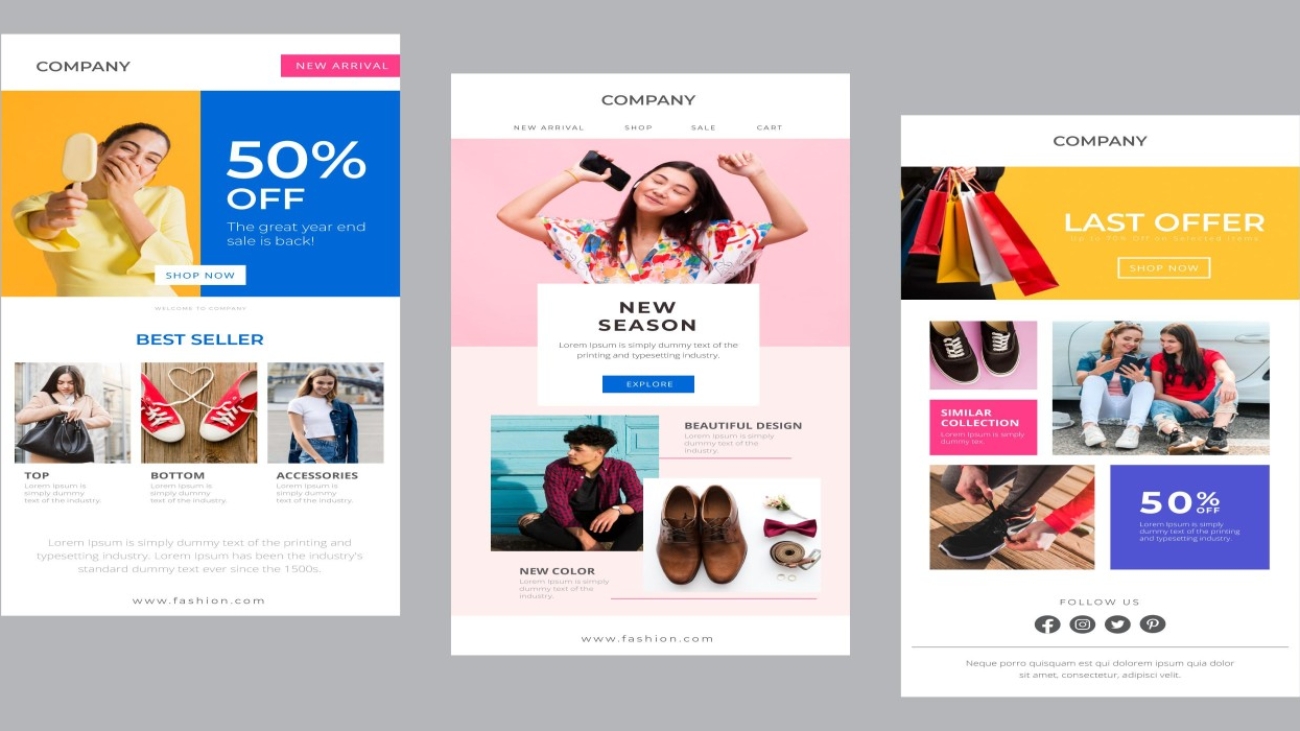
Best email designs for email marketing campaigns

Examples of Unique and Best Email Designs for Email Marketing Campaigns

Regardless of industry type and business size, you can use email marketing to promote your business on a rapid scale. Although there are many different ways to reach your target audience, from social media campaigns to influencer marketing and paid ads, email marketing remains one of the most effective ways to cut through the competition and enables you to speak directly to your customers.

To maximize the effectiveness of your email marketing strategies, you need a great design that grabs the attention of customers. Hence, most of the brands are turning to email design and new creative solutions that gain the attention of customers and increase the click-through rate for their email.

Based on the type of industry and email purposes, email marketing campaigns can be divided into several categories. In this article, we will focus on four types of email campaigns that marketers in all industry segments use most often:

  • Product promotion
  • Upselling
  • Cart abandonment
  • Product updates

In a general email, the design varies concerning the type of email campaign. Here, we are providing the best examples of email designs developed by top brands based on the type of campaign they used:

Product Promo Email Campaign Examples

Along with email newsletters, the most common email marketing campaign used by most businesses and brands when they launch a new product or service is product promotion. Here are a few examples of the best email designs used by top brands for product promotion.

Apple AirPod Pro

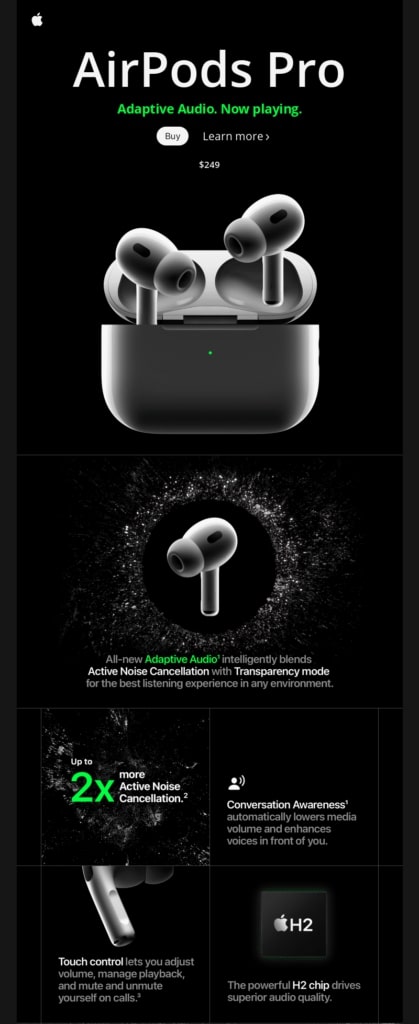
Apple’s email product campaign for the launch of AirPods Pro earphones is in line with the brand’s style and visual characteristics. If you look at the image below, it is simple, predominantly monochrome, with a large, high-quality photo of a product that is dominating the main screen.

This email campaign has well-structured headings, which help readers to understand what exactly they are looking for.

Contrasting images of AirPods pop against the dark background is eye-popping and can grab users’ attention.

Also, the numerous calls-to-action, such as “Learn more”, “Buy”, may lead readers to visit their landing pages and enable users to make a purchase.

Apple AirPod Pro Email design

Source: https://venturestream.co.uk/blog/email-design-examples-the-brands-getting-it-right/

Great Jones’ Salt & Pepper

Great Jones’ is a company specializing in producing home products such as kitchen appliances and furniture. If you look at the image below, their Salt & Pepper product launch campaign completely relies on simplicity and attention-grabbing animation.

Great Jones’ email campaign is all about selling one product, which was displayed in the email template.

This makes their email campaign strikingly concise and direct.

Great Jones’ Salt & Pepper Email Design

Source: https://reallygoodemails.com/emails/salt-pepper

Frame.io

Another example in simplicity and direct marketing – is about a product launch email campaign during a conference conducted by Frame.io.

Using email design with a solid black background is very attractive and can grab the user’s attention

Also, they clearly mentioned their CTA as “Reserve Your Seat” for the conference related Final Cut Pro X Creative Summit.

Upselling Email Campaign Examples

Whenever a customer buys a product from a particular brand, it can send upsell campaigns to their customers. Hence, most of the businesses usually send upselling email campaigns that can steer the buyer’s attention towards more products that might interest them and buy.

Here are examples of best email designs used by a few brands for Upselling Email Campaigns:

Dollar Shave Club

Dollar Shave Club Email Design

Source: https://reallygoodemails.com/emails/where-did-you-go

With a carefully executed and beautifully crafted e-mail campaign, this beauty and personal care brand upsells its products based on its customers’ interests, as shown in the above email template.

The “Dollar Shave Club” campaign invites a consumer to add more items to their shopping cart before hitting the order button.

The email campaign portrays potential purchases in two columns, with a very striking contrast between the product and the background.

To grab users’ attention, they used vivid orange CTAs for “ADD” which are very visible and eye-popping.

WeTransfer

WeTransfer is a company specializing in File transfer services. It is trying to upsell its bandwidth package through a uniquely designed email campaign that markets the WeTransfer Plus package

With a perfect and concise email design, they opted to market their product with a magazine-style email campaign.

They used a lot of white space and a few vibrant colours to make their email campaign stand out.

Also, with a single call-to-action button, they are trying to invite readers to learn more about the package and make a well-informed purchasing decision.

Grammarly

Another example of an upselling-related Email Campaign is Grammarly. If you look at the email design below, created by Grammarly, which is very personable and attractive.

They mentioned “Highlights of Your Year” in the newsletter with yearly writing stats.

This creates an immediate effect of familiarity and reliability, along with a personalized touch.

Furthermore, their email campaign follows its brand’s style guidelines with clean white space and gentle, pastel colours.

Also, they mentioned the CTA button at the top of the newsletter, which invites them to upgrade to the Premium account.

Source: https://moosend.com/blog/email-marketing-examples/

Cart Abandonment Recovery Email Design Examples

Cart Abandonment is the most common scenario when it comes to e-commerce. Most of the customers visit an eStore, add an item or a few items into their cart, and then leave without completing the purchase. This leads to Card Abandonment. Here are some of the best examples of email marketing campaigns that remind customers about the items they have abandoned in their cart.

BluDot

 BlutDot is a company specializing in Home decor and furniture brands. It reminds their visitors of items they have viewed in their online store by sending them a very concise cart abandonment recovery email campaign.

To grab the attention of users, Bludot provided furniture images in a neutral colour along with simple lines, “Taking another look? We saved your items.” and CTA as “Complete my order.”

The email campaign is very precise about reminding their readers of the items they lookedat  and abandoned in their carts previously.

Just below the CTA, they provided the items with a direct Checkout button next to them.

Moschino

The cart abandonment recovery email campaign executed by Fashion and Apparel Brand – Moschino is quite interesting.

This email design features a black and white photo of a model with a caption “You left something behind” and a “Return to checkout” call-to-action – which is quite exciting.

Right under this large central part of an email, there is a list of items the user has left in their shopping carts.

Also, they included “Complete my order” button which enables readers to return and complete the purchase.

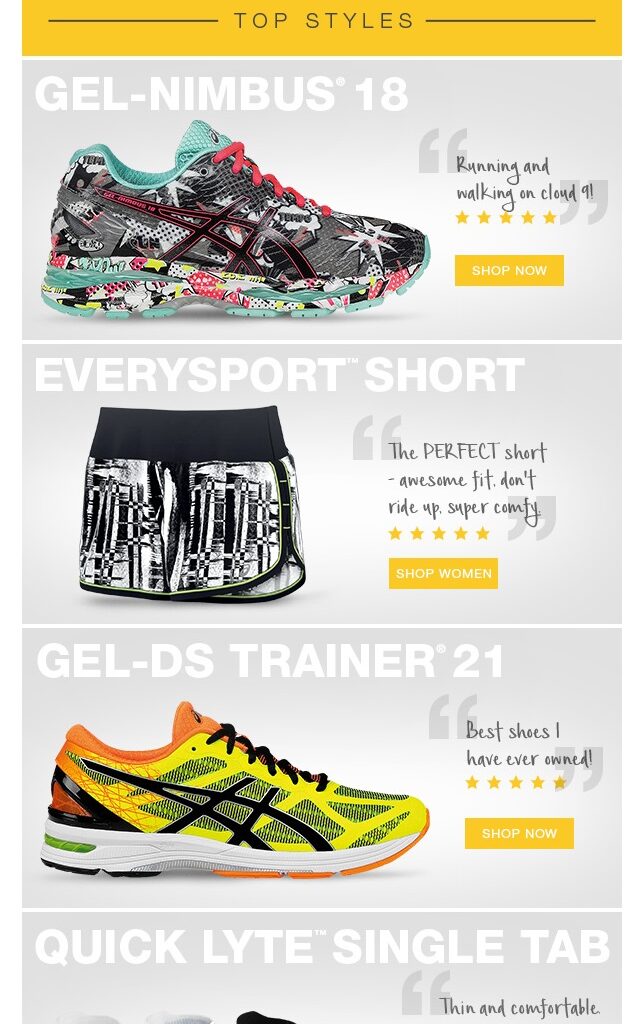
ASICS

Here is one more example for Cart Abandonment Recovery email campaign executed by Exercise and fitness brand – ASICS. If you look at their email design mentioned below, they remind visitors who have looked at items in their store, placed them in a shopping cart and abandoned them.

ASICs cart abandonment recovery email campaign mainly highlights the product that has been viewed by the users who visit their website.
Also, they mentioned CTAs in an email that encourages them to complete the purchase.

Email design created by ASICS

Source: https://mailbakery.com/blog/examples-sport-retailers-emails/

Product Update Marketing Campaign Examples

Updates to the products or services help satisfy consumers and create more interest in those products. Marketing campaigns for product updates educate the subscribers about products and typically include a lot of information, both in copy and design. And here are some examples for Product Update Marketing Campaigns:

BluDot’s Stack’em Up

Home and decor brand Blu Dot’s “Stack ‘em up” product update email campaign is quite narrative as it incorporates design of their upgraded product as shown in the below image.